SmartWare
A downloadable tool for Windows
SmartWare
Entertainment Starts Here.
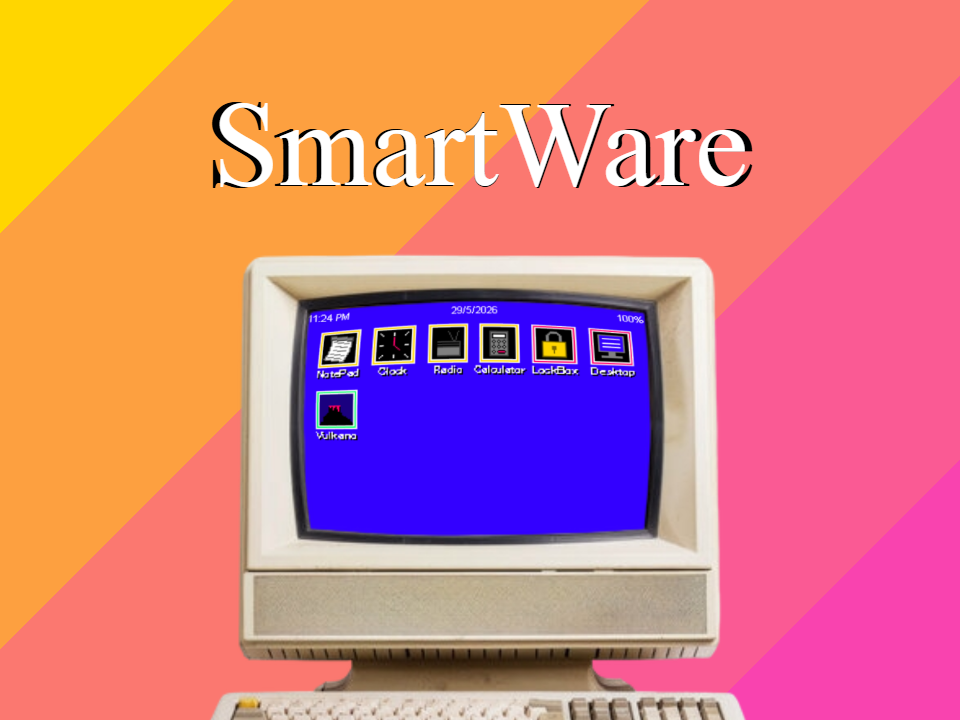
SmartWare is a lightweight operating system designed for home users who want a simple, focused, and enjoyable computing experience. Built around ease of use, SmartWare combines essential utilities, entertainment applications, customization tools, and built-in software into a unified environment that is fast to learn and pleasant to use.
Unlike operating systems designed for offices and professional workloads, SmartWare focuses on personal computing. Whether you're writing notes, listening to music, checking the time, customizing your desktop, or playing a quick game, SmartWare provides a streamlined experience without unnecessary complexity.
Included Software
NotePad
A straightforward text editor for notes, reminders, journals, and plain text documents. Fast, lightweight, and always ready when you need it.
SmartClock
A multifunction clock utility featuring a digital clock, alarms, timer functions, and stopwatch capabilities.
MiniCalc
A compact calculator designed for quick everyday calculations with an easy-to-read display and simple controls.
RadioWave
A built-in radio application featuring multiple stations that showcase the SmartWare audio system. Tune between stations and enjoy a variety of electronic music and ambient broadcasts.
Desktop
Personalize the appearance of your SmartWare environment with selectable desktop backgrounds and interface accent colors.
LockBox
Protect your system using a simple security code system. LockBox helps secure access to SmartWare while remaining easy to configure and use.
Vulkano
A built-in arcade score attack game where quick reactions and careful movement are the keys to survival. Challenge yourself, improve your high score, and compete against your own best performances.
Features
- Simple graphical user interface
- Mouse-driven navigation
- Single-application focused workflow
- Fast startup and responsive controls
- Built-in personalization options
- Integrated security features
- Entertainment-focused software selection
- Lightweight design philosophy
- Consistent visual style across all applications
First-Time Setup
When SmartWare is launched for the first time, SmartStart guides you through the initial setup process. Choose your preferred desktop appearance, configure system security, and prepare your system for everyday use in just a few moments.
Designed for Simplicity
SmartWare is built around a simple philosophy: software should be approachable.
Applications launch quickly, menus remain easy to understand, and every feature has been designed to be accessible to new users while remaining useful for experienced ones.
No complicated configuration. No unnecessary distractions. Just a clean, enjoyable environment ready whenever you are.
Download
Install instructions
- Download the SmartWare installation package from this page.
- Extract the downloaded archive if required.
- Open the installer and follow the on-screen instructions.
- Once installation is complete, launch SmartWare.
- On first launch, complete the SmartStart setup process.
- Enjoy exploring the SmartWare operating environment.
Included Software
- NotePad
- SmartClock
- MiniCalc
- RadioWave
- Vulkano
- Desktop
- LockBox
Requirements
- Keyboard and mouse recommended
- Display capable of running the application window
- Sufficient storage space for installation
If you encounter issues during installation or startup, please leave a comment on the project page.
Development log
- SmartWare v1.0 Released6 days ago